White background photos for clothing: why and how to do it
White background is required on marketplaces and improves any AI tool. How to set it up, the common mistakes, and when another color wins.
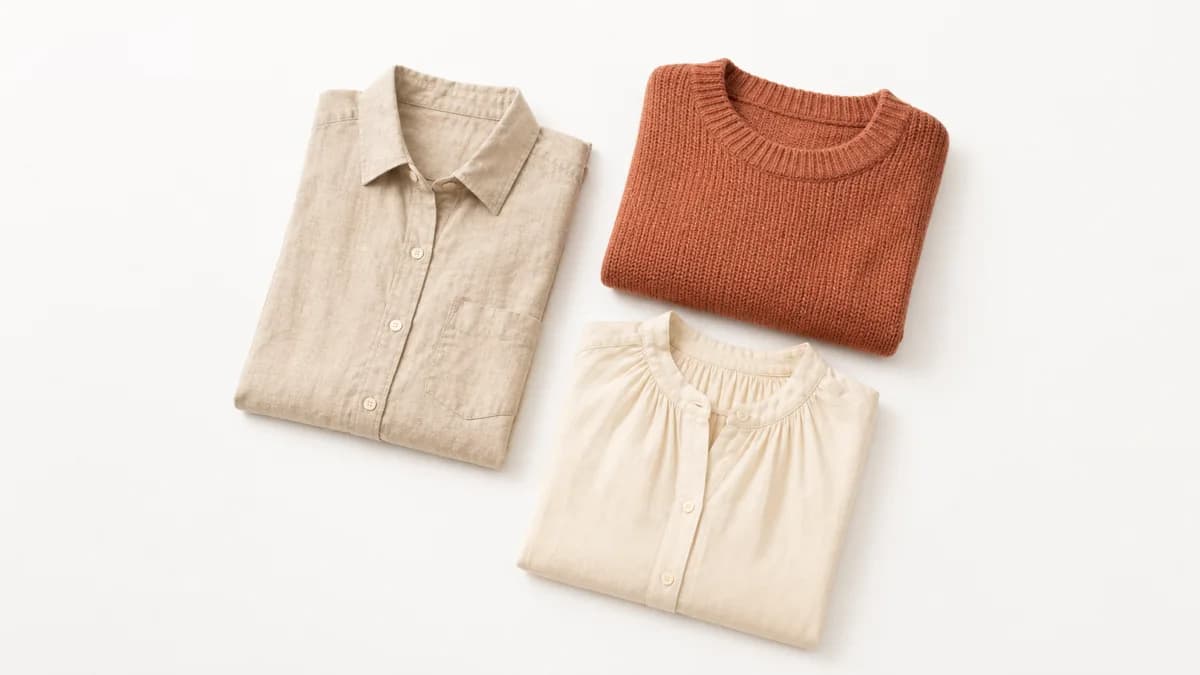
A white background is not an aesthetic preference. It is a technical standard that increases sales, improves platform ranking, and makes any subsequent AI processing easier. For anyone selling clothes online, understanding why it works and how to apply it correctly makes a direct difference in results.
Here is what you need to know: why the standard exists, how to build the right setup, the most common mistakes, and when to consider other options.
Why white background is the e-commerce standard
The eye goes straight to the product
White background removes visual context. There is no furniture, texture, or competing color. The buyer sees the garment and only the garment.
On marketplaces where dozens of results appear on the same screen, a photo with a clean background draws more attention than one with a bedroom or a distant studio in it. The piece needs to communicate on its own in a 200-pixel thumbnail.
Visual consistency builds trust
When all photos in a catalog share the same background and framing, the whole looks professional. Inconsistent catalogs, where each photo has a different background, read as improvised, even when the product is good.
Consistency also makes browsing easier. The customer compares pieces without being distracted by different backgrounds.
Marketplaces require or prioritize white background
| Platform | White background requirement | Consequence of not following |
|---|---|---|
| Amazon | Required for main image | Product suspended or not approved |
| eBay | Strongly recommended | Lower search visibility |
| Depop | Not required | Less featured placement |
| Google Shopping | Preferred | Lower ad approval rate |
| Poshmark | Not required | Less visibility in search |
For sellers on multiple channels, having photos on white background means no need to reshoot the same product for each platform. More on marketplace-specific requirements in marketplace photo rules for Amazon and eBay.
White background makes AI processing more accurate
Fashion AI tools, including VestiAI, separate the garment from the background before placing it on a virtual model. When the background is white and uniform, that separation is precise and automatic. When the background has texture, pattern, or a color close to the garment, the process becomes less accurate and can create strange edges.
A well-done white background photo goes into the tool and comes out as a model photo. A photo with a complex background may need manual adjustment first, which cancels part of the time advantage.
How to create a white background setup
Option 1: physical background
The simplest setup that works:
Materials:
- White backdrop paper (9-foot wide roll, starting around $20)
- Two stands or a wall
- Two softboxes or ring lights (or window light from both sides)
Setup:
- Fix the paper at 7 feet high and let it fall to the floor in a smooth curve
- The curve eliminates the horizon line and creates the "infinity background" effect
- Position the mannequin or hanger in the center, at least 20 inches from the paper
- Light evenly from both sides
Keeping the piece away from the paper prevents shadows projected on the background, which is the most common mistake with this setup.
Option 2: improvised background with a wall
If you don't want to invest in backdrop paper:
- A plain white painted wall, without visible texture, works well for smaller pieces
- Tape large white cardstock (A0 or bigger) to the wall for smaller items
- Use a separate light source to illuminate the background independently from the garment
The issue with walls: imperfections (shadows, marks, paint texture) show in photos and increase editing work.
Option 3: lightbox
For accessories, bags, shoes, and smaller pieces:
- Lightbox with integrated lighting (starting around $25)
- Guaranteed uniform white background and diffused light
- Easy to store and set up
- Does not work well for large pieces (coats, long dresses)
Option 4: digital removal
If you already have photos on a non-white background, or don't want to build a physical setup:
Free tools: Remove.bg (automatic, works well for pieces with clear outlines), Canva, GIMP.
Paid tools with more control: Adobe Photoshop, PhotoRoom, Clipping Magic.
Tip: photographing on a light gray or beige background makes digital removal easier than a dark or patterned background. Automatic removal struggles more with edges that share color with the background.
The most common white background mistakes
Background coming out gray or yellowish
A white background that looks gray or yellow in the photo is the most frequent mistake. It happens when the background is underexposed (too dark) or under orange light (incandescent bulbs).
How to fix:
- Increase background exposure by 0.5 to 1 stop (EV)
- Switch to white or daylight-balanced light (around 5,500K color temperature)
- If it still looks yellow, correct white balance in editing
Shadows on the background
Shadows cast by the garment or mannequin appear on the background and distract the buyer.
How to fix:
- Keep the piece at least 20 inches from the background
- Light the background with a separate light from below or behind
- Use a white reflector to fill shadows on the unlit side
White clothing on white background
White pieces on white background get lost. The edges disappear and the garment loses definition.
How to fix:
- Use light gray background (not dark gray)
- Create a slight edge shadow in editing
- Or use a rim light from the opposite side to create separation
The article about photo mistakes that affect AI results has more on contrast problems and how AI interprets poorly defined edges.
When not to use white background
White background is the catalog standard for product photos. But it is not the only type of photo a fashion store needs.
Lifestyle and campaign photos: these show the garment in use, in an environment, or with a model on location. They build brand identity and work well on Instagram and Meta Ads. They don't replace the product photo on white background; they complement it.
Instagram feed: a catalog that is 100% white background can look cold and uninspiring on social media. The common practice is white background on the marketplace and a mix of campaign photos on social.
Lookbooks: collection pieces sold together work better in environment or editorial photos.
The practical rule: white background to sell, contextual photo to inspire.
How VestiAI uses the white background photo
VestiAI's workflow starts with a photo of the garment, which can be on a hanger, on a mannequin, or flat lay. White background is ideal, but the tool accepts neutral backgrounds too.
From that photo, you choose the virtual model (gender, skin tone, body type), the pose, and the scene. The tool places the garment on the model and generates the photo in minutes. Print, drape, and texture are preserved.
The result: a campaign photo with a model, ready to use on a marketplace, Instagram, or wherever you need it. The Basic plan is US$ 39.90/month for 80 photos, around US$ 0.50 per photo. The free plan gives 5 credits with no card required.
For more on the full workflow and how to prepare your input photo, see the guide on how to photograph clothes for AI.
Reference table: setup by budget
| Budget | Recommended setup | Expected quality |
|---|---|---|
| Under $10 | Large white cardstock + window light | Good for marketplace |
| $10 to $50 | Backdrop paper + ring light | Very good for any channel |
| $50 to $150 | Paper + two softboxes | Professional |
| $150 or more | Complete studio setup | Professional with full control |
For anyone starting out: window light with a large white sheet of cardstock taped to the wall already produces photos approved on the main marketplaces. No need for expensive equipment to get consistency.
The key is to build the same setup every time you shoot. Once you have a photo that produces a good result in your catalog or marketplace, take a reference shot of your entire setup (position, distances, lights) and replicate it exactly every session. Repeatability matters more than having the best gear.
Standardizing photos on white background is one of the highest-impact, lowest-cost changes a fashion store can make. The initial setup is simple, maintenance is zero, and the gain in conversion and platform approval is immediate.
To turn your product photos into model photos in minutes, create a free account and test with 5 credits, no card needed.
Related Articles
How to Photograph Clothes for AI: Practical Guide
How to photograph clothes for AI and get realistic virtual models. Lighting, angle, background, and a common-mistakes checklist for any smartphone.
Read article
Does a Mannequin Photo Work for AI? Yes, With These Tips
Mannequin photos work well for AI, but results depend on the mannequin type and image quality. See the comparison and the right checklist for each case.
Read article
7 photo mistakes that make AI struggle with your clothing
Seven common mistakes that cause AI to generate bad clothing photos, and how to fix each one before uploading. Includes a practical checklist and diagnosis table.
Read article